Why Bandsaw Speed Adjustment Matters More Than Most Operators Realize
Running your bandsaw at the wrong speed is one of the fastest ways to burn through blades and create unnecessary downtime in your shop. The relationship between blade speed and blade life is direct and measurable. Too fast, and you generate excessive heat that dulls teeth and weakens the blade body. Too slow, and you overload individual teeth, causing premature chipping and breakage. The good news is that adjusting bandsaw speed takes about a minute once you know what you’re doing, and the payoff in extended blade life and cleaner cuts makes it one of the most valuable habits you can develop. Whether you’re cutting mild steel, stainless, or aluminum, getting the speed right before you start saves money and frustration down the line.
Key Factors That Determine Correct Bandsaw Speed
Several variables influence the ideal blade speed for any given cut, and understanding them helps you make faster, more accurate adjustments:
- Material type and hardness, since harder materials require slower speeds to prevent heat buildup
- Blade tooth pitch, as finer pitches generally run at different speeds than coarser options
- Blade material, including whether you’re using carbon steel, bi-metal, or carbide-tipped blades
- Cross-section size of the workpiece, which affects how long the blade stays engaged
- Machine type and whether speed is controlled via pedal or control box
- Coolant availability and flow rate during the cut
Start With the Speed and Feed Chart Every Time
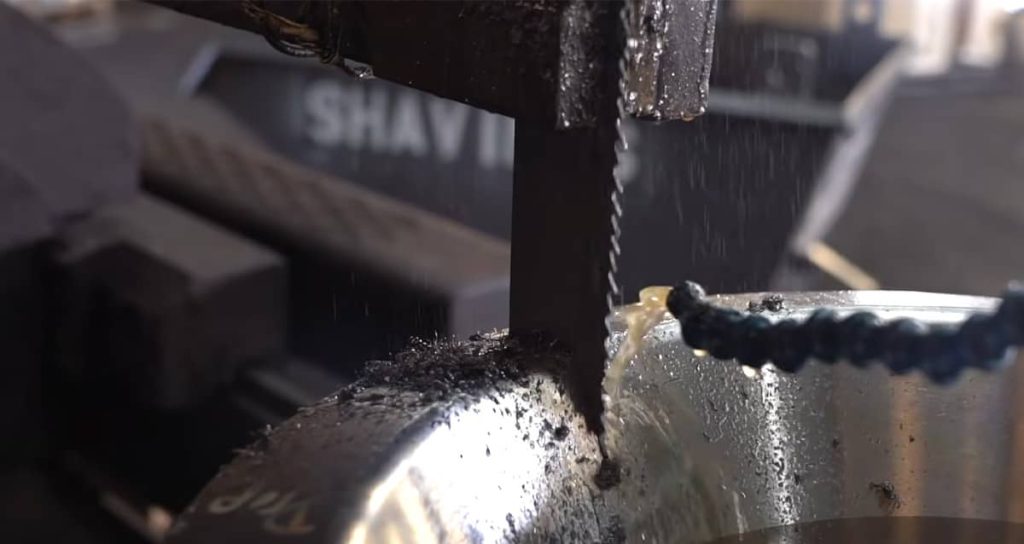
The speed and feed chart is your first reference point whenever you set up a new cutting job, and skipping this step is where many blade problems begin. These charts, typically provided by blade manufacturers or included in your machine’s documentation, give recommended surface feet per minute (SFPM) based on material type and blade specifications. A common mistake is assuming that one speed setting works across different materials. Aluminum, for example, cuts efficiently at speeds between 250 and 500 SFPM, while tool steel might need to stay under 100 SFPM to avoid rapid tooth wear. Taking 15 seconds to check the chart before adjusting your machine prevents the kind of mistakes that cost you a blade mid-cut.
How Material Properties Affect Your Speed Settings
Different materials behave in distinct ways under the bandsaw blade, and understanding these properties helps you fine-tune your speed adjustments beyond what the chart recommends. Work-hardening materials like stainless steel and nickel alloys punish you quickly if you run too slow, because the material surface hardens under repeated tooth contact, making subsequent passes even more difficult. On the other end, softer materials like aluminum or brass can load up blade teeth with chips if you run too fast without adequate chip clearance. Heat-sensitive materials require slower speeds paired with consistent coolant flow to prevent the thermal damage that shortens blade life dramatically. Paying attention to how the material responds during the first few inches of a cut tells you whether your speed setting needs adjustment.
Bandsaw Speed Reference by Material Type
| Material | Recommended Speed (SFPM) | Notes |
| Mild Steel | 200 to 300 | Standard bi-metal blades work well |
| Tool Steel | 80 to 120 | Slower speeds reduce heat and tooth wear |
| Stainless Steel | 120 to 180 | Consistent speed prevents work hardening |
| Aluminum | 250 to 500 | Higher speeds with good chip evacuation |
| Brass and Bronze | 200 to 350 | Watch for chip loading at higher speeds |
| Nickel Alloys | 60 to 100 | Low speed with steady coolant flow |
| Carbon Steel | 180 to 275 | Mid-range speeds for most applications |
Blade Material and Tooth Pitch Change the Equation
Your blade itself plays a significant role in determining the right speed setting, and operators who ignore this end up replacing blades more often than necessary. Carbide-tipped blades handle higher speeds and harder materials but still need appropriate settings to avoid chipping. Bi-metal blades offer flexibility across a range of materials but perform best within their recommended speed windows. Tooth pitch matters because finer pitches engage more teeth simultaneously, generating more friction and heat at any given speed. A blade with 10 to 14 teeth per inch cutting thick material needs a slower speed than a 4 to 6 TPI blade on the same stock. Matching your speed to both the material and the blade specifications is what separates operators who get long blade life from those constantly buying replacements.
Support Longer Blade Life with the Right Setup
Adjusting speed is a simple habit that can help reduce heat, prevent premature tooth wear, and keep cuts more consistent. But speed is only one part of the setup: blade selection, coolant flow, guide condition, and material type all work together. For readers who want to review their blade options or find cutting supplies that support better bandsaw performance, sawblade.com is a helpful place to check.
Signs Your Bandsaw Speed Needs Adjustment
Recognizing the symptoms of incorrect speed helps you make corrections before serious damage occurs:
- Discoloration or bluing on the blade teeth, indicating excessive heat
- Chips that appear burned, powdery, or blue rather than curled and silver
- Vibration or chatter during the cut that was not present before
- Cuts that drift off square even with proper blade tension
- Premature tooth dulling or chipping within the first few cuts
- Unusual noise from the blade or guides during operation
Why Machine Type Matters for Speed Control
The type of bandsaw you operate affects how you adjust and maintain correct blade speed throughout the cutting process. Gravity-feed machines and those with hydraulic down-feed systems apply different levels of pressure, which interacts with blade speed to determine actual cutting performance. Machines with pedal controls require more operator attention to maintain consistent speed, while those with electronic control boxes often allow precise SFPM settings that stay constant throughout the cut. On manual machines, a practical way to verify your speed is correct involves counting how many times the blade passes a reference point while cutting and comparing that to your target rate. Understanding your specific machine’s characteristics helps you dial in the right settings faster and maintain them more consistently.
ALSO WORTH READING
Need Help With Your Porter Cable PCB330BS?
If you own this popular table saw model, we have a dedicated resource that covers everything you need to know. Our complete guide walks you through the manual basics, correct blade size, replacement parts, and solutions to the most common issues owners run into. It’s a handy reference whether you’re setting up your saw for the first time or troubleshooting a problem mid-project.
Quick Steps to Adjust Bandsaw Speed in One Minute
Following a simple routine makes speed adjustment fast and consistent across different jobs:
- Check the speed and feed chart for your specific material and blade combination
- Note the recommended SFPM range and identify where your current setting falls
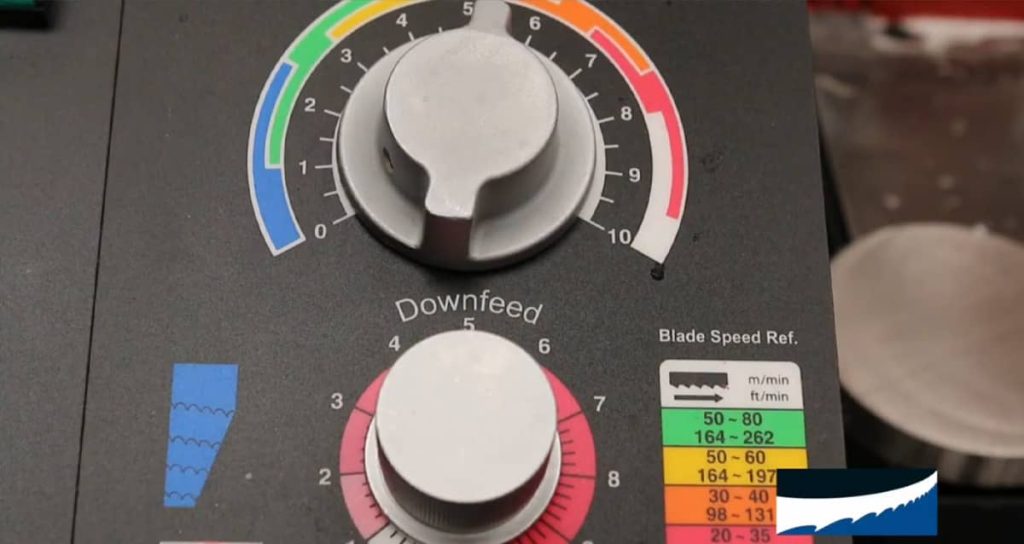
- Adjust the speed control dial, pulley position, or variable frequency drive to the target range
- Verify the adjustment by making a short test cut on scrap material of the same type
- Observe chip formation and blade behavior during the test cut
- Fine-tune up or down based on chip color, blade temperature, and cut quality
- Lock in your setting and proceed with the production run
The Connection Between Speed, Feed Rate, and Blade Longevity
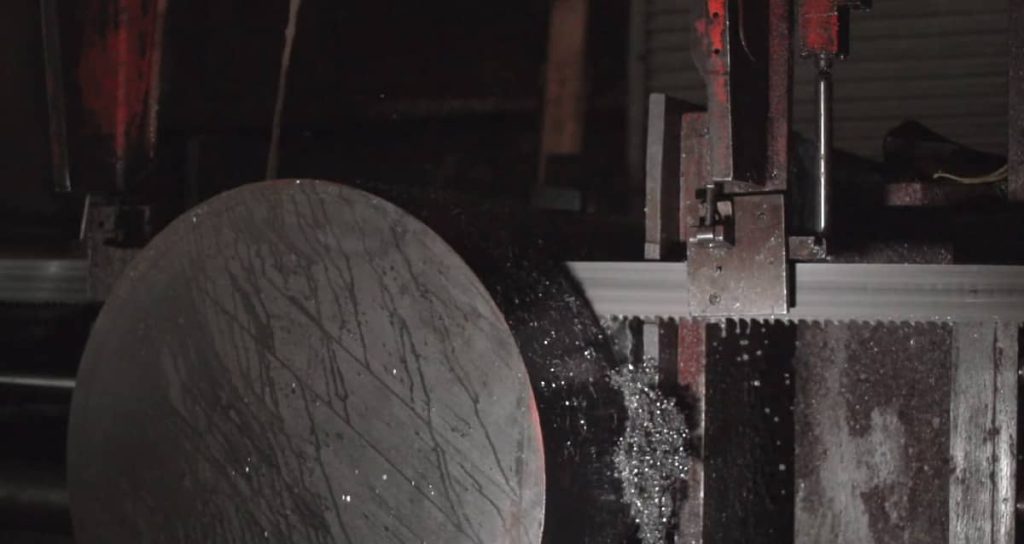
Speed adjustments work best when paired with appropriate feed rate settings, because these two variables work together to determine cutting efficiency and blade wear. Running the correct speed with excessive feed pressure still overloads the blade teeth and causes premature failure. Conversely, correct speed with too little feed pressure causes the blade to rub rather than cut, generating friction heat and glazing the teeth. The goal is balanced engagement where each tooth removes an appropriate chip size without excessive force or heat. On constant-feed machines, this balance is easier to maintain once you set it correctly. On manual machines, the operator needs to develop a feel for the right amount of pressure throughout the cut.
Common Speed Adjustment Mistakes to Avoid
Even experienced operators sometimes fall into habits that shorten blade life unnecessarily:
- Using the same speed setting for all materials without checking the chart
- Ignoring blade manufacturer recommendations in favor of machine defaults
- Running too fast on hard materials to speed up production, which backfires quickly
- Forgetting to adjust speed when switching between blade types or pitches
- Neglecting to verify speed settings after machine maintenance or belt changes
- Skipping test cuts when starting a new material type or batch
Getting Speed Right Pays Off Every Day in the Shop
Taking one minute to adjust your bandsaw speed correctly before each cutting job is one of the simplest ways to extend blade life, reduce material waste, and keep your production running smoothly. The process becomes second nature once you establish the habit of checking the speed and feed chart, considering your specific blade and material, and verifying your settings with a quick test cut. Shops that prioritize correct bandsaw speed settings consistently report fewer blade changes, straighter cuts, and lower overall cutting costs. Whether you’re running a single vertical bandsaw or multiple horizontal production machines, this small investment of time delivers returns on every cut you make.