Why Chip Overload Matters More Than Most Operators Realize
If you spend any time running a bandsaw, you have probably noticed that not all cuts are created equal. Sometimes the blade glides through material cleanly, and other times it struggles, overheats, or leaves a rough finish that requires additional work. One of the most common causes of inconsistent cutting performance is chip overload, a condition that occurs when the gullets of your blade become packed with metal chips faster than they can clear. When chips cannot escape properly, they get forced back into the cut, generating excessive heat, dulling your blade prematurely, and throwing off cutting accuracy. Understanding how to recognize and prevent chip overload takes about a minute to learn but can save hours of frustration and extend the life of your blades significantly.
Improve Chip Control Before Problems Start
Chip overload can affect every part of the cutting process, from blade life and cut accuracy to surface finish and overall machine performance. When the blade gullets cannot clear chips properly, the saw may begin to work harder, heat may build up, and the cut can become less consistent. Paying attention to chip formation gives operators a quick way to judge whether the blade speed, feed pressure, tooth pitch, and coolant flow are working together correctly. Clean, consistent chips usually suggest a more balanced setup, while packed, discolored, or powdery chips can point to an adjustment issue. By learning these signs early, operators can reduce unnecessary wear and keep cuts smoother. For related blades, guides, parts, and cutting fluids, readers can also check sawblade.com.
Common Signs That Your Saw Has a Chip Overload Problem
Recognizing chip overload early prevents bigger problems down the line. Watch for these indicators during your cutting operations:
- Chips are not clearing from the gullets and appear to be packing together
- The blade is generating more heat than usual during normal cuts
- Cut surfaces are rough, burned, or showing visible scoring marks
- Blade life is shorter than expected, even on standard materials
- The saw sounds labored or the motor draws more current than normal
- Cuts are drifting off line despite proper blade tension and alignment
What Actually Causes Chips to Overload in the First Place
Chip overload comes down to a mismatch between how fast material is being removed and how efficiently that material can escape the cutting zone. Three main factors determine proper chip load: tooth pitch, blade rotational speed, and downfeed rate. When these variables are not balanced correctly for the material being cut, chips either build up in the gullets or fail to form properly at all. Too aggressive a downfeed on fine-pitch blades packs the gullets before they can clear. Too slow a feed on coarse-pitch blades produces thin, powdery chips that generate heat without actually removing material efficiently. Getting this balance right is the foundation of cleaner cutting.
How Chip Color Tells You Exactly What Is Happening
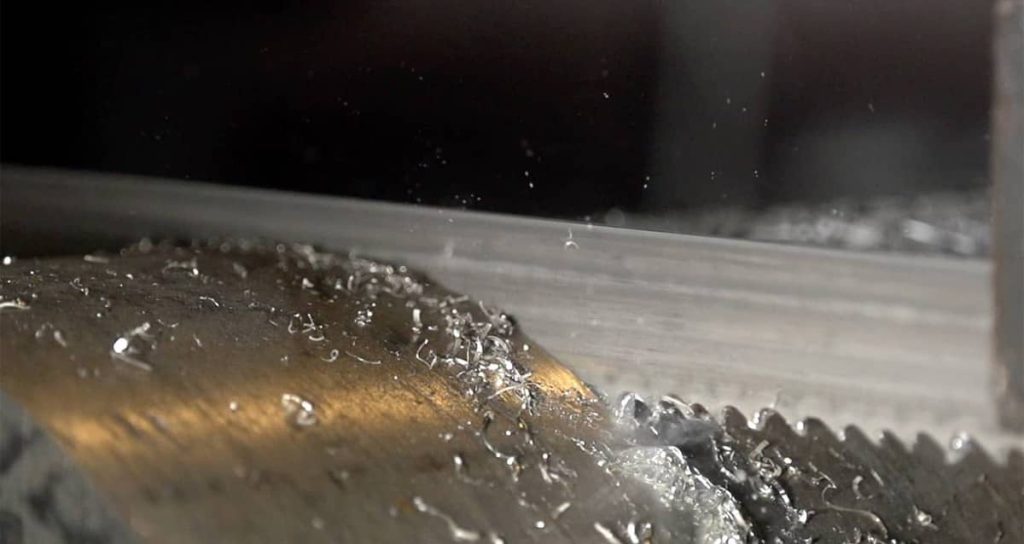
One of the simplest diagnostic tools you have is already sitting right in front of you: the chips themselves. Experienced operators learn to read chip color and shape the same way a mechanic listens to an engine. Healthy chips come out curly and bright, with a silver or light metallic color that indicates the material is shearing cleanly without excessive heat buildup. When chips turn dark blue or show discoloration, that is a clear signal of too much heat in the cut zone, usually caused by excessive rotational speed, too aggressive a downfeed, or insufficient coolant flow. On the other end of the spectrum, light dusty chips or fine powder means the feed rate is too low and the blade is rubbing rather than cutting, which generates friction heat and accelerates tooth wear.
Quick Reference: Chip Characteristics and What They Mean
| Chip Appearance | What It Indicates | Recommended Action |
| Curly and bright silver | Proper chip load and cutting parameters | Continue current settings |
| Dark blue or discolored | Excessive heat from speed or feed | Reduce rotational speed, slow downfeed, increase coolant |
| Light, dusty, or powdery | Feed rate too low, blade rubbing | Increase downfeed rate |
| Packed in gullets | Chip overload occurring | Reduce downfeed or switch to coarser pitch blade |
| Long stringy chips | Feed possibly too aggressive for tooth pitch | Verify pitch selection for material cross-section |
Why Tooth Pitch Selection Directly Affects Chip Clearance
Tooth pitch is not just about matching blade to material thickness. It also determines how much space exists in each gullet to carry chips out of the cut. Finer tooth pitches have smaller gullets, which means they fill up faster and require more careful management of feed rates to avoid overload. Coarser pitches offer more gullet capacity but may not provide enough teeth in contact with thin-walled materials, leading to tooth stripping or rough cuts. Selecting the right pitch for your specific application creates the foundation for proper chip evacuation, and adjusting speed and feed from there becomes much more straightforward.
Practical Steps to Prevent Chip Overload on Every Cut
Avoiding chip overload does not require complicated calculations for every job. These practical habits keep most cutting operations running cleanly:
- Match tooth pitch to material cross-section before starting the cut
- Set rotational speed according to material type and blade manufacturer recommendations
- Adjust downfeed rate based on chip appearance during the first few inches of cutting
- Ensure coolant flow is adequate and directed properly into the cut zone
- Monitor chips periodically throughout longer cuts, especially when cutting mixed material lots
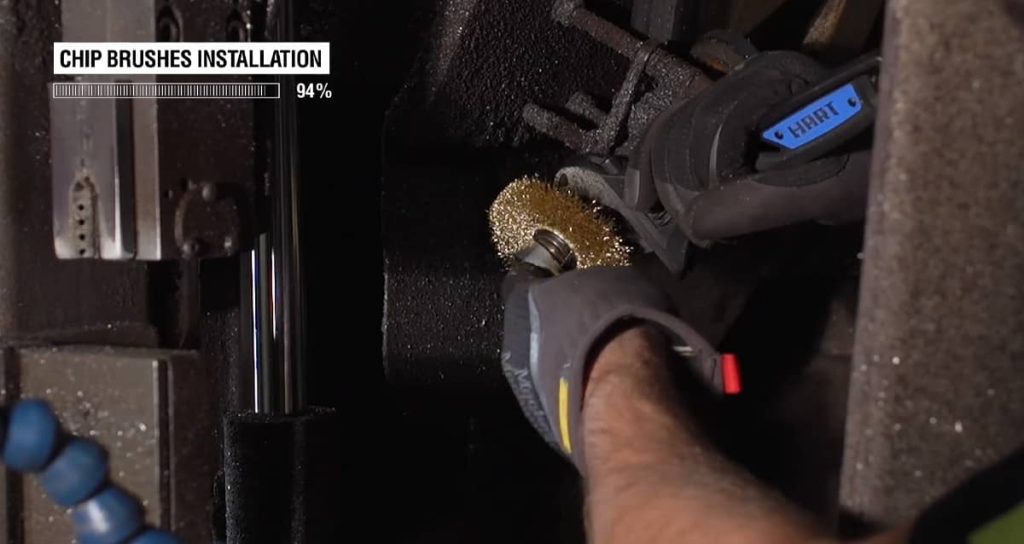
- Clean gullets and blade guides regularly to prevent buildup that restricts chip flow
The Role of Coolant in Managing Chip Load and Heat
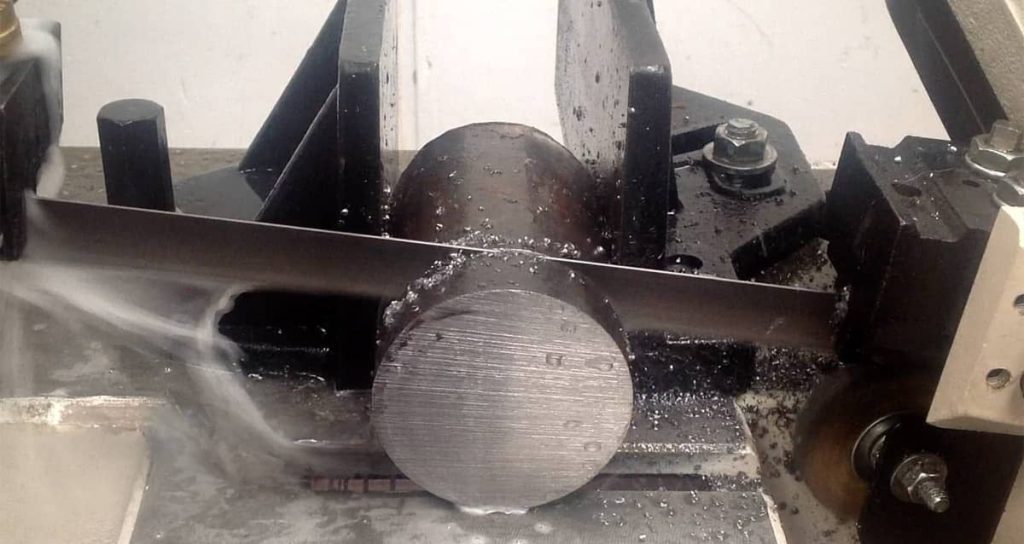
Coolant does more than just keep the blade cool. It serves as a chip evacuation aid, helping flush material out of the gullets and away from the cutting zone. When coolant flow is restricted or poorly aimed, chips tend to stick in the gullets longer, compounding the overload problem. Adequate coolant also reduces the friction coefficient between blade and workpiece, which means less heat generation in the first place. If you notice chip overload problems on materials that previously cut without issue, checking coolant concentration, flow rate, and nozzle positioning should be one of the first troubleshooting steps.
ALSO WORTH READING
Get Your Guides Set Up Right
Before you start making cuts, it helps to understand how your guides should be positioned for the best results. If you want to learn the fundamentals of setting up guides so your cuts come out straight and accurate every time, take a look at our article on Guide Alignment Basics for Accurate Straight Cuts. It covers the key principles that will save you time and frustration down the road.
Materials That Are Most Prone to Chip Overload Issues
Certain materials create chip overload problems more readily than others due to their physical properties. Knowing which materials demand extra attention helps you anticipate issues before they occur:
- Aluminum and aluminum alloys, which produce soft chips that tend to weld together in gullets
- Low carbon steel, especially when cut with fine pitch blades at high feed rates
- Stainless steel, which work hardens and can produce long stringy chips if parameters are off
- Copper and brass, which generate soft gummy chips requiring aggressive coolant flushing
- Large cross-section solids of any material, where chip volume per cut is naturally higher
How Feed and Speed Charts Help You Dial In the Right Settings
Feed and speed charts exist precisely because calculating optimal parameters from scratch for every material and cross-section combination would be impractical. These charts give you starting points based on material type, blade specifications, and workpiece dimensions. From there, you adjust based on what the chips tell you. Operators who skip the charts and rely entirely on feel often end up running parameters that are close but not quite right, which shows up as shortened blade life, rougher finishes, or the frustrating inconsistency that comes from chip overload on some cuts but not others. Keeping a feed and speed chart accessible near your saw takes the guesswork out of initial setup.
Quick Troubleshooting When Chips Look Wrong
When you notice chip problems mid-cut, a few quick adjustments usually solve the issue without stopping production entirely:
- Dark blue chips: reduce blade speed by 10 to 15 percent and increase coolant flow immediately
- Dusty or powdery chips: increase downfeed rate gradually until curly chips form
- Packed gullets: back off downfeed rate and verify tooth pitch is appropriate for material size
- Chips sticking to blade: check coolant mixture concentration and nozzle positioning
- Inconsistent chip appearance: inspect blade for damage or uneven tooth wear that may need replacement
Cleaner Cutting Starts With Paying Attention to the Small Details
Chip overload is one of those problems that feels minor until it starts costing you blades, time, and material. The good news is that monitoring chip appearance takes only seconds and gives you immediate feedback on whether your cutting parameters are dialed in correctly. Bright curly chips mean everything is working as it should. Dark or dusty chips mean something needs adjustment. Building the habit of checking chips regularly, matching tooth pitch to material, and keeping coolant flowing properly eliminates most chip overload problems before they have a chance to affect your results. For operators who want to get the most life out of every blade and the cleanest cuts on every job, this one-minute check is one of the most valuable habits you can develop.